
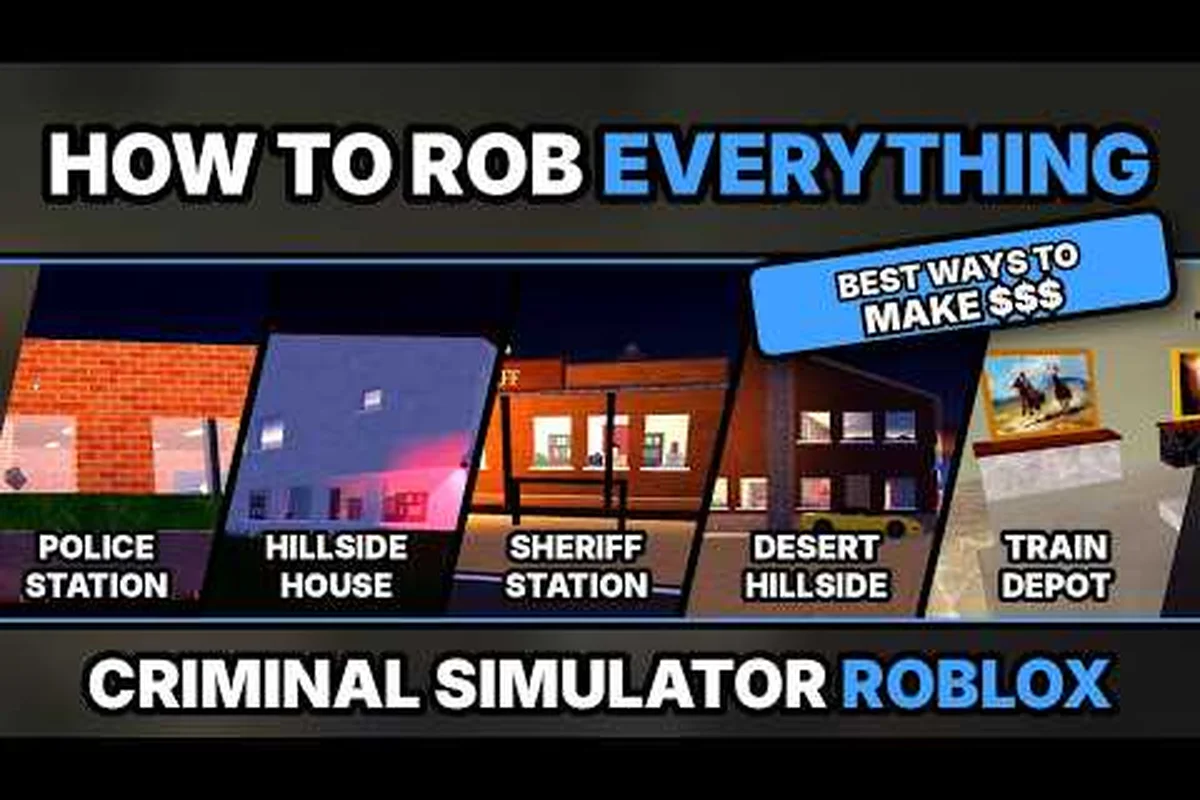
A criminal simulator robbery playthrough matters because one rushed decision can cost you the loot, expose your crew, and leave the police closing in. This guide turns the night into a clear route from planning the job to selling the haul, with practical criminal simulator heist tips for every stage.
Full Walkthrough Scope and Structure
The official Criminal Simulator game page on Roblox describes a night-based robbery loop built around sneaking past residents, escaping police and K9 dogs, and selling loot before a deadline. It also lists support for crews of one to four players and frames the larger objective as paying off debt before the deadline expires.
That creates a useful criminal simulator robbery walkthrough framework: choose a target, prepare the crew, enter quietly, collect only what you can carry, escape, and convert the loot into money. The important word is only, because greed can turn a clean robbery into a desperate sprint.
Run Structure at a Glance
| Run stage | Main objective | Failure pressure | Best decision |
|---|---|---|---|
| Planning | Choose a robbery and role | Wasted preparation time | Match the target to the crew’s skill |
| Entry | Reach valuables without being seen | Residents raise the alarm | Use stealth and clear sightlines |
| Collection | Gather sellable loot | Alert rises while time passes | Prioritize valuable, portable items |
| Escape | Reach the exit with the crew | Police and K9 units close in | Avoid extended fights |
| Sale | Convert loot into money | Deadline pressure | Sell quickly and bank the payout |
This table is a planning framework, not a claimed universal job sequence. It organizes each Criminal Simulator robbery around the core loop shown in the criminal simulator job list: select a target, enter the property, collect sellable loot, escape, and complete the sale. Because the game remains in alpha, available targets, reward values, police responses, and interface details may change with updates, so verify the current build before planning a criminal simulator robbery walkthrough.
Crew Roles That Reduce Chaos
A criminal simulator heist becomes easier when every player has one clear responsibility. In a three-player crew, assigning one Point person, one Loot carrier, and one Rear guard prevents everyone from crowding the same doorway, triggering resident alerts, or following one noisy route. For example, the Point person can scout a patrol pattern before entry while the Loot carrier targets only the agreed valuables and the Rear guard monitors residents and police. This division of labor reduces movement conflicts and makes a criminal simulator robbery playthrough easier to control, especially when the crew must escape quickly with a full inventory.
| Crew role | Primary duty | Secondary duty | Avoid |
|---|---|---|---|
| Point person | Checks entrances and patrol patterns | Directs movement | Entering without scouting |
| Loot carrier | Collects the agreed valuables | Tracks inventory capacity | Taking every visible item |
| Rear guard | Watches for residents and police | Assists the escape | Lingering after the last pickup |
| Coordinator | Calls the exit time and sale plan | Manages crew pace | Changing targets mid-run |
Solo players can merge these roles, but should still follow a sequence: Scout, enter, collect, leave. The Point person should first check entrances and patrol patterns, then the Loot carrier can collect only the agreed valuables while the Rear guard watches for residents and police. A Coordinator role can call the exit time and manage the crew’s pace, preventing the common mistake of changing targets mid-run. This structure keeps a criminal simulator robbery playthrough controlled, reduces wasted movement, and makes a clean escape more likely when the inventory is full.
What This Walkthrough Tracks
This article focuses on a complete criminal simulator robbery playthrough rather than unverified payout lists. It explains how to select work, build a workable crew plan, identify loot, manage alerts, and reach the sale phase. For deeper target-selection advice, compare the available locations in the night-heist locations guide.
The official listing reported more than 5.4 million visits, 92,500 favorites, and 24,800 concurrent players when checked on October 31, 2026. Those figures establish the size of the active community, although they do not guarantee that every route or reward remains unchanged.
Criminal Simulator Job List and Target Planning
A dependable criminal simulator job list starts with targets you can enter, search, and leave without relying on reckless movement. The official game page supports one to four players, so the most reliable route often involves assigning two or three jobs instead of trying to collect everything visible. Because this alpha release may rotate locations and rewards, use the in-game list as the source of truth. The planning categories below help you classify whichever jobs are currently available rather than claiming that unverified locations have permanent payouts.
Classify Available Jobs by Entry Difficulty
| Job type | Entry pressure | Loot pace | Escape demand | Recommended crew |
|---|---|---|---|---|
| Low-risk residence | Moderate | Steady | Medium | Two to four players |
| High-value residence | High | Moderate | High | Experienced crew |
| Busy commercial target | High | Fast | Very high | Fast and coordinated crew |
| High-patrol target | Very high | Uncertain | Very high | Solo or tight team |
Treat a low-risk residence as a manageable setup, not a guaranteed-safe payout. Even a two-to-four-player crew can lose its advantage when a resident spots someone inside, a K9 unit cuts off the exit, or the crew stays too long after securing the primary haul. Because this job type has moderate entry pressure, steady loot pace, and medium escape demand, the best criminal simulator robbery playthrough approach is to set a quick extraction window, preserve exit options, and leave once the main objectives are complete rather than risking extra loot.
Build the Criminal Simulator Job List in This Order
First, identify every location shown on the current job board. Next, compare expected travel time with available daylight. After that, decide which houses or sites offer valuables that can be found quickly. Finally, check whether the planned route provides more than one exit.
This criminal simulator heist plan prevents the common mistake of choosing a distant target with a large theoretical payout. A close target that can be completed quickly is often worth more than a premium target that consumes most of the night.
Match the Job to the Crew
| Crew situation | Target selection | Main priority |
|---|---|---|
| New crew | Close, uncomplicated robbery | Learn entrances and exits |
| Four-player crew | Wide or busy target | Assign clear collection zones |
| Solo run | Small target with a direct route | Minimize movement and combat |
| Crew carrying weak equipment | Avoid heavily guarded target | Preserve stealth and escape speed |
| Crew with strong equipment | Higher-patrol target | Use gear only when necessary |
A criminal simulator robbery walkthrough should account for the entire crew, not merely the player controlling the camera. If one teammate cannot keep up, the group loses its planned timing. If one teammate carries too much loot, the escape slows down. Both problems can be avoided before entry.
Budget the Night Clock by Distance
Treat the night timer as a distance budget rather than a number to ignore. Estimate travel in both directions, ten seconds for each routine search, and additional time for blocked entrances or changed patrol routes. Keep at least ten percent of the available time as a cushion.
The criminal simulator heist tips that matter most are often boring: begin early, identify two exits, collect only agreed valuables, and leave when the crew reaches the return point. A robbery may still produce money even if it is imperfect, but waiting until the final seconds often turns a successful loot run into a failed escape.
For location-specific planning, the house-heist strategy overview explains how to weigh easy targets against richer, riskier jobs. A low-risk property may offer quick entry, predictable loot, and a short search phase, while a high-value house can demand more time to search upstairs rooms, manage alarm triggers, and reach a safer exit. Compare the expected payout with the extra seconds consumed by locked doors, cameras, and denser patrol patterns, then select the target that fits the remaining night budget without forcing a rushed escape.
Criminal Simulator Robbery Walkthrough: Entry and Loot
Entry is where this criminal simulator robbery walkthrough separates a calm crew from a noisy scramble. Residents are active obstacles, and the official listing emphasizes sneaking past them. Use movement patterns, sightlines, and clear commands rather than assuming that every alarm can be solved through a fight.
Entry Decision Checklist
Before the crew crosses the first boundary, answer these questions in order. In a Criminal Simulator robbery playthrough, the entry decision should match the building layout and alert state: use a clear service entrance for a compact approach, avoid a resident-facing doorway when witnesses are nearby, and pause at unclear entry points to check sightlines. If the job needs a split crew, set a timed reassembly marker and assign a rear guard; if an alarm is already active, prioritize the exit route instead of extending the search for loot.
-
Does everyone recognize the chosen entrance?
-
Is there a spot where the point person can watch approaching residents?
-
Can the rear guard still see the crew if the route bends?
-
Is there a second exit if the main path becomes blocked?
-
Does every player know when the crew should leave?
| Entry situation | Immediate action | Reason |
|---|---|---|
| Clear path visible | Move in a compact group | Reduces time exposed |
| Resident blocking the route | Wait, redirect, or use an alternate entrance | Prevents unnecessary noise |
| Split crew needed | Set a short reassembly point | Limits confusion |
| Alarm already active | Prioritize the exit route | Every extra item increases risk |
| Entry point unclear | Stop and observe longer | Rushing usually creates more exposure |
Collect Only the Planned Valuables
The best loot discipline is simple: select likely valuables, establish who carries them, and leave when the quota is met. Large-looking decoration may be slower to collect or harder to sell than smaller valuables. The in-game inventory indicators should determine what is worth grabbing, not assumptions based on appearance.
Use this inventory decision rule: compare each prospective pickup’s expected value with the carrying capacity it consumes, then give priority to compact valuables that can be sold quickly during a police response. For example, if a crew member can carry only a limited number of items, taking several small, high-value pieces can produce a better payout than reserving space for one bulky decoration. This matters because a full inventory can restrict escape options and slow the crew, while the robbery payout is determined by the agreed quota rather than the number of items collected.
-
Pick up the first clearly valuable item.
-
Check how much carrying capacity remains.
-
Fill only the fastest and most portable items.
-
Leave when the crew’s agreed payout target is reached.
-
Divide items only if a player needs room for a high-value piece.
This criminal simulator robbery becomes easier when the crew treats inventory capacity as a limit. One person with several valuables may slow the whole group, particularly during a police response. For another angle on fast collection, use the smash-and-grab robbery guide.
Loot Priorities
| Loot situation | Best choice | Reason |
|---|---|---|
| Several common valuables available | Take the fastest ones | Speed reduces exposure |
| One unusual item visible | Check value and size first | It may block better loot |
| Inventory nearly full | Stop collecting | Escaping matters more than a marginal upgrade |
| Rear guard reports danger | Leave with current haul | A full crew can still escape |
| Crew has plenty of time | Search nearby rooms | Only expand after the route is stable |
Community guides such as Blueburry’s Criminal Simulator guide focus on progression topics such as weapons, money, and upgrades. Treat them as community demonstrations rather than official balance documentation, especially while the experience remains in alpha.
Criminal Simulator Heist Tips for Police and K9 Escapes
Police pressure is the main reason many criminal simulator heist tips emphasize route discipline. The official game page specifically names police and K9 dogs, so an escape plan should account for pursuit rather than assuming that crossing the target boundary ends the danger.
Escape Route Checklist
| Pursuit stage | Best action | Route priority |
|---|---|---|
| No active pursuit | Complete the search | Keep the original exit close |
| Alarm raised | Move to the fallback point | Avoid the busiest route |
| Police visible | Break line of sight and change direction | Do not run straight past them |
| K9 alerted | Use corners and redirects | Do not cross an open area unnecessarily |
| Crew separated | Regroup only at a safe point | Do not send one player back blindly |
A good criminal simulator robbery walkthrough does not treat equipment as the answer to every mistake. Weapons may help with a temporary obstacle, but fighting across an open area gives the police more chances to see and follow the crew. Stealth and distance remain more valuable because they address the entire pursuit rather than one target.
Make the Exit Before the Alarm
Choose an exit with two useful properties: it should be reachable without crossing the primary entrance, and it should lead toward the sale point or safe area without a long exposed detour. Mark the turnaround point during entry so that the rear guard can redirect everyone without lengthy discussion.
This criminal simulator heist tip is especially important in groups. If the route changes only because one player finds an extra item, the crew loses coordination. A prearranged signal such as one tap for departure and two for danger can prevent accidental separation.
Use Escalation Instead of Constant Combat
| Situation | First response | Escalation |
|---|---|---|
| Small obstacle ahead | Move around it | Fight only if the route is blocked |
| Resident spots someone | Create distance | Draw attention away from the crew |
| Police close in | Change direction | Use available equipment or cover |
| K9 tracks the crew | Break the line of sight | Regroup behind a corner |
| Exit is exposed | Wait briefly for a gap | Choose another exit if timing fails |
The objective is to get the crew and loot to the sale phase, not to win every encounter. A clean criminal simulator robbery often ends with restraint: grab the planned haul, notice the rising danger, and leave before a manageable encounter becomes a five-player pileup.
Criminal Simulator Robbery Playthrough: Sale and Recovery
The final phase of this criminal simulator robbery playthrough begins when the crew leaves the target, but it should be planned during the robbery. Without a sale plan, players may wander while carrying loot, return near the original location, or spend the remaining night searching for the correct option.
The official description says that loot must be sold before the deadline. Treat the sale point as part of the route, not an afterthought. If one crew member reaches the seller first, that player should begin the sale while another checks that everyone has cleared the danger area.
Sale Outcome Checklist
| Result | What it indicates | Next action |
|---|---|---|
| Loot sold and payout received | Core robbery objective succeeded | Bank funds and review the run |
| Sale unavailable yet | Route or job condition was missed | Return to the current prompt |
| Sale blocked by pursuit | Escape area was not fully secured | Break pursuit before retrying |
| Crew member still missing | Group separated during extraction | Regroup rather than solo-sell |
| Partial payout received | Carried loot may be incomplete | Check inventory and crew status |
Score the Run Afterward
A useful post-robbery review separates luck from preparation. Track the time spent entering, the number of alerts, whether anyone fought, how long the escape took, and how many items each player carried. This small record makes the next criminal simulator robbery noticeably more consistent.
| Metric | Better result | Why it matters |
|---|---|---|
| Entry delay | Under one minute | Less time exposed |
| Alarm count | One or fewer | Indicates a controlled approach |
| Loot value | Meets the crew target | Prevents unnecessary collection |
| Escape time | Short and direct | Reduces pursuit pressure |
| Crew coordination | No long separation | Improves reliability |
For a broader look at how each step affects the clock, read the night-job breakdown. It can help distinguish a route that looked successful in combat but still lost value because the crew overstayed.
When a Run Goes Wrong
A failed robbery does not necessarily require abandoning the entire night. If the crew still has time, it can reduce the target list and focus on one reachable job. The safest recovery is usually a close, straightforward robbery rather than another high-risk attempt.
Community reporting also remains useful for learning patterns, but it should not be treated as a guaranteed code or reward source. NoobBlox’s community guide covers tips for earning money faster, while verified information did not confirm an actual code list. That distinction matters because unsupported “code” claims can waste time during a timed run.
Advanced Criminal Simulator Heist Planning and Final Checklist
Advanced criminal simulator heist planning is mostly about controlling variables. Once the basic entry, collection, and escape loop is understood, the crew can improve by preparing for crowded houses, separating responsibilities, and deciding in advance what constitutes a complete robbery.
Pre-Robbery Briefing
Use the same briefing before every job so that the crew does not improvise under pressure. For example, a crew can compare notes on the target’s entry point, assign each member a role during the loot phase, and agree on an exit signal before approaching the building. In a Criminal Simulator robbery playthrough, this preparation reduces hesitation at key decision points, especially when officers appear or the collection target changes unexpectedly. Reusing the briefing also makes failed runs easier to diagnose: if the crew reached the target but missed the sale window, the issue is likely the extraction plan rather than the robbery itself.
| Briefing item | Decision to make | Time saved later |
|---|---|---|
| Target | Select one location | No last-minute wandering |
| Entry | Confirm one main and one fallback route | Faster reaction to obstacles |
| Collection limit | Set a value or item target | Prevents greedy detours |
| Exit signal | Choose a clear call or gesture | Reduces crew separation |
| Sale plan | Identify who initiates the sale | Prevents a failed handoff |
This checklist turns a criminal simulator robbery into a repeatable crew process. It also makes new-player runs easier to evaluate: when the robbery fails, the crew can inspect whether the problem was entry, timing, loot choice, or extraction rather than treating every setback as random.
Difficulty Ladder
| Player level | Recommended target | Tactical emphasis |
|---|---|---|
| First successful run | Close, uncomplicated job | Entry, one loot item, direct exit |
| Learning crew | Moderate residence | Team roles and early departure |
| Experienced crew | Guarded or valuable target | Two exits and timed collection |
| Advanced crew | High-pressure location | Contingency routes and role swaps |
Before a difficult attempt, the first-night gameplay guide can refresh the basic systems: entry choices, carrying capacity, escape routes, and the need to leave before police pressure escalates. Advanced play should refine those fundamentals, not replace them with reckless movement. For example, against a high-pressure location, assign crew roles to cover alternate exits, use role swaps when one member carries a valuable loot item, and time collection around guard patrols rather than waiting for a full sweep. This keeps the robbery plan flexible when entry is blocked, a getaway vehicle is compromised, or the crew needs to regroup without increasing exposure.
Complete Criminal Simulator Robbery Checklist
| Phase | Ready condition |
|---|---|
| Before entry | Job selected, crew briefed, fallback exit known |
| During entry | Compact movement, minimal noise, rear guard active |
| During collection | Loot target reached before capacity becomes critical |
| During escape | Exit chosen early, pursuit broken without extended combat |
| At sale | All players clear, loot handed over before the deadline |
| After the run | Payout confirmed and weak points recorded |
This criminal simulator robbery playthrough ultimately comes down to restraint. Select a suitable job, agree on roles, collect the planned valuables, and leave while the crew still has options. That approach also leaves more time for sale, which is where the official loop confirms that the robbery’s reward becomes usable money.
Frequently Asked Questions
What is the easiest robbery in Criminal Simulator?
The easiest available robbery is usually the closest target that offers quick access to portable valuables, not necessarily the location with the highest advertised payout. Choose an entrance that avoids residents, set a small collection limit, and preserve enough time to reach the sale point. Exact locations and rewards may change as the alpha build evolves.
How should a four-player crew divide responsibilities during a robbery?
Assign one player to scout entrances, one to collect the agreed valuables, one to watch for residents and police, and one to coordinate the exit and sale. Keep the rear guard behind the group so they can warn about pursuit. If the crew is smaller, merge roles but preserve the order: scout, collect, then extract.
Should the crew sell immediately after collecting valuables?
Yes, unless the job requires a different step. Selling promptly reduces the risk of losing carried loot during another pursuit and confirms progress before the deadline expires. Keep the route from the target to the sale point in mind, and make sure every crew member has cleared the danger area before the handoff.
What are the best criminal simulator heist tips for avoiding police?
Choose a target with a direct route and two exits, collect only the agreed valuables, and leave before an alarm forces a long chase. Avoid open crossings and unnecessary fights when changing direction would be safer. Since police and K9 dogs are core threats, prioritize breaking pursuit rather than trying to defeat every pursuer.
Is it better to collect rare valuables or common items during a robbery?
Value is only useful if the crew can carry and sell it before the deadline. Common items that are quick to collect may produce a better completed robbery than one rare item that slows movement or fills inventory. Check the in-game value and carrying indicators, and prioritize speed unless the rare item offers a clearly worthwhile improvement.